Chinoiserie Floral Pattern: Timeless Elegance for Creative Projects
Exploring the Collection – 10 JPG Digital Images
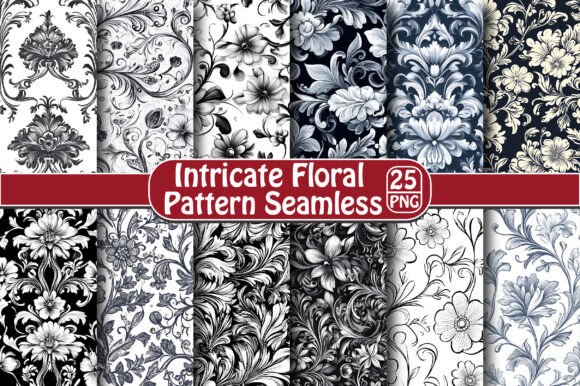
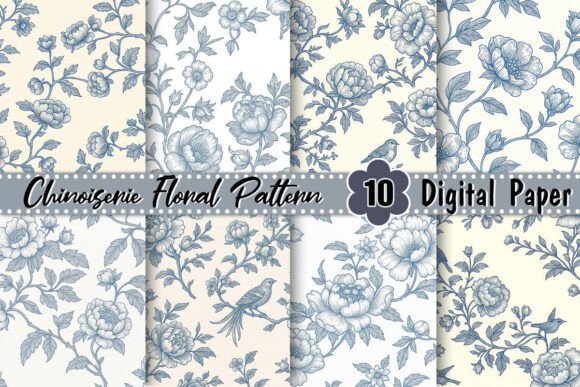
The Chinoiserie Floral Pattern 10 JPG Digital Images collection provides a curated set of non-seamless designs, each crafted with care and attention to the classic chinoiserie style. These images are delivered at a high resolution of 300 DPI, ensuring crisp, clear results whether printed on fabric, used as digital backgrounds, or incorporated into marketing materials.Creative Possibilities with Chinoiserie Floral Pattern
Whether you're a graphic designer, blogger, or small business owner, chinoiserie floral patterns open up a world of possibilities. Here are some ways to use this collection effectively:
- Branding & Packaging: Use the patterns to add a touch of elegance to product boxes, labels, or promotional materials. They work especially well for tea, stationery, or luxury goods.
- Interior Design: Incorporate these visuals into mood boards, room plans, or fabric swatches for clients who love vintage or eclectic aesthetics.
- Web & App UI: Apply subtle background textures or feature one of the images in a hero section to evoke a sense of timeless beauty.
- Print Media: These patterns can be used in book covers, magazine layouts, or poster designs to create a rich, illustrative feel.
- Blog & Social Media Content: Add them to headers, banners, or infographic templates to enhance visual appeal without overwhelming the message.
Adapting the Patterns for Different Audiences
One of the strengths of chinoiserie floral patterns is their adaptability. For example, educators might use them in classroom posters or history-related infographics to illustrate cultural exchange. Marketers could integrate them into holiday campaigns or wellness-themed content to evoke serenity and tradition.
Freelancers working across multiple industries may choose to tailor the patterns to suit specific client needs. A fashion influencer might prefer a more saturated and detailed pattern to match their brand’s visual identity, while a minimalist interior blog might opt for a muted version to maintain balance.
Practical Tips for Using Non-Seamless Patterns
Since these are non-seamless images, they’re best suited for standalone use rather than tiling. Here’s how to make the most of them:- Use as Full-Frame Backgrounds: Select one image and scale it to fit your canvas size. Ensure it complements the foreground content without clashing.
- Create Focal Points: Place a single image centrally within a layout to draw attention and serve as a decorative element.
- Combine with Textures: Overlay the pattern with a semi-transparent texture (like watercolor paper or linen) to add depth and dimension.
- Edit Colors for Consistency: Adjust hues or brightness to align with your project's overall palette. This helps maintain visual harmony.
- Layer Strategically: If using multiple patterns, vary their placement and opacity to avoid clutter and keep the design clean.
Real-World Applications and Inspiration
Example 1: A boutique tea shop used one of the patterns on their seasonal packaging for Lunar New Year. The imagery helped connect with customers who appreciated both the artistry and cultural significance.
Example 2: A lifestyle blogger created a printable planner template featuring a chinoiserie floral border. The design stood out on social media and drove engagement due to its handcrafted look.
Example 3: A freelance designer used a pattern in a client’s website header to reflect the brand’s commitment to artisanal craftsmanship. The result was a visually appealing and memorable landing page.
How to Stay Organized While Experimenting
When working with a collection like this, it’s easy to get overwhelmed by choices. To stay focused, consider organizing your workflow with these strategies:- Theming: Group the patterns by season, occasion, or color scheme to streamline your selection process.
- Mockups First: Before finalizing any project, create quick mockups using sample text or placeholder graphics to test the pattern’s impact.
- Limit Usage: Choose only two or three images per project to maintain clarity and avoid overdesigning.
- Save Variations: Keep track of edited versions so you can reuse them in future projects efficiently.
Getting Started with the 10 JPG Images
- Choose Your Favorite: Start by selecting one image that speaks to your creative vision. Study its structure and color balance.
- Experiment with Layouts: Try placing the pattern in different positions—full bleed, centered, or framed. See what works best with your content.
- Pair with Complementary Elements: Combine the pattern with elegant fonts, gold accents, or soft gradients for a harmonious effect.
- Test Across Formats: Make sure the pattern looks good in print, on screen, and across various devices if applicable.